AI-powered IVR: build smart call menus that route themselves
Aircall's interactive voice response (IVR) system routes every caller to the right team without human intervention. Build multi-level call menus in a visual editor, pair IVR with an AI Voice Agent, and connect natively to your CRM.
24,000+ COMPANIES TRUST AIRCALLto power their customer communications





Connect customers with the most relevant agent
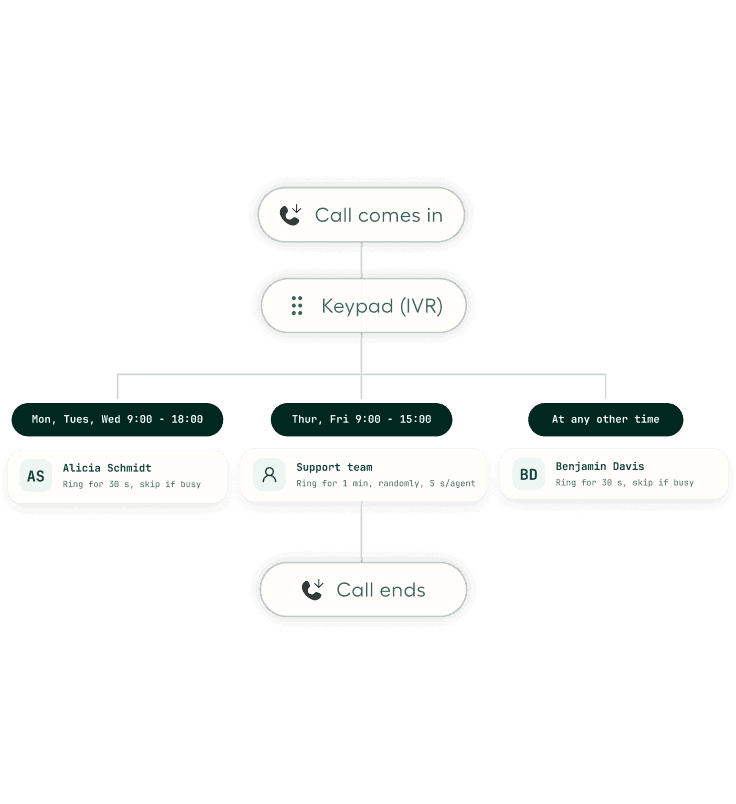
Design IVRs on a visual canvas. Deliver first-touchpoint resolutions by automatically routing inbound callers to the most relevant teams and agents.
- Multi-level IVRsIVRs can be embedded within IVRs to further specify a customer's reason for calling, and customised based on time of day to streamline calls during peak hours and downtime.
- Dynamic visual editorWhen setting up an IVR number, add a message and waiting music — choose from our curated selection, use built-in text-to-speech, or upload your own custom audio files.
- Music and audio messagesAdd a message or waiting music when configuring an IVR. Choose from a curated selection, write a text-to-speech audio message, or upload your own custom audio files.
When IVR meets conversational AI
Traditional IVR handles structured menus. Aircall's AI Voice Agent handles the rest. The AI Voice Agent sits inside the same call flow as your IVR. It answers calls using natural speech, pulls answers from your knowledge base, collects caller information, and transfers to a live person when needed. Supports English, Spanish, French, German, Dutch, Italian, and Portuguese.
First responder
AI Voice Agent picks up every call, qualifies the enquiry, and routes to the right team. Your reps only handle calls that need their attention.
Overflow
When your team is on other calls, the AI Voice Agent steps in to prevent missed calls and abandoned queues.
After-hours coverage
Callers outside business hours get a live AI conversation instead of a voicemail box.
Features
- Visual drag-and-drop editorBuild your entire IVR inside call flow, Aircall's visual call flow editor. Drag and drop widgets to create menus, set routing rules, and publish, all without code or IT involvement.
- Multi-level menusNest IVR menus as deep as your business needs. A first level separates Sales from Support. A second level splits Billing from Technical. Each level uses single-digit keypad input for fast navigation.
- Built-in text-to-speechType your greeting and Aircall generates the audio. No need to record files or hire voice talent. You can also upload MP3/WAV files or record directly in the platform.
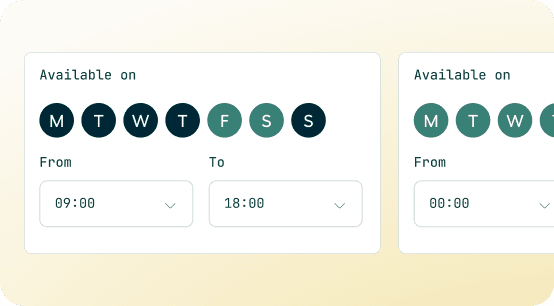
- Time-based routing rulesRoute calls differently based on business hours, holidays, or custom schedules. After-hours callers go to voicemail or an AI Voice Agent instead of ringing an empty queue.
- Callback requestsCallers press the star key at any point in the flow to request a callback instead of waiting on hold. Reduces abandoned calls and keeps your queue manageable.
- Per-number IVR configurationRun different IVR trees for different phone numbers within the same account. Your sales line, support line, and regional numbers each get their own call flow.
Your CRM and helpdesk, built into every call
Shared customer context
Aircall's Insight Cards display the caller's CRM record, recent interactions, and account details before your rep picks up. No more "Can you give me your account number?"
IVR selections logged automatically
The menu option a caller selects is captured in the ivr_options_selected field and pushed to your CRM via webhooks. Your team knows why someone is calling before they say a word.
API-based intelligent routing
On Professional and Custom plans, the Ring to via API widget queries your CRM in real time. Route VIP customers to a priority queue based on their account segment.
Build your first IVR with Call Flows Call Routing
Already using Aircall? Getting started with call routing is simple. Here’s exactly how to do it.
Use these features alongside IVR
- FEATURES
Business Hours
Set customised schedules to confirm exactly when each of your numbers is available to receive calls.
- FEATURES
Call Routing
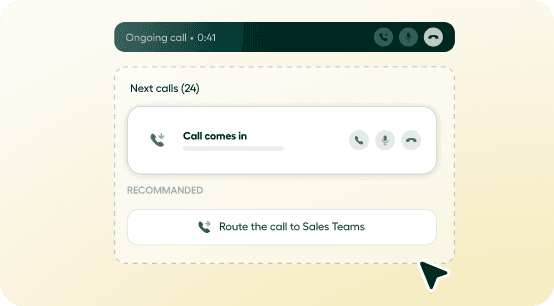
Direct calls to the correct teammates every time by customising distribution and ring rules.
- FEATURES
Ring Groups
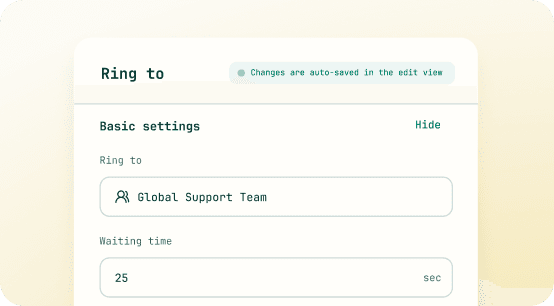
Route calls to teams grouped by location, language, skill, or any other trait you'd like.
CUSTOMER STORIES
Hear it directly from our customers!
24,000+ companies trust Aircall's IVR to route callers to the right team, every time.
Because it's such an intuitive platform, it's much easier to make changes on the fly.
Creating selections on the IVR, adding users, activating numbers — that's made it easy to manage the whole system.
Connected to your Business Tools


Works with the tools your team already uses
Frequently asked questions
GET STARTED
Ready to build better conversations?
Aircall runs on the device you're using right now.
Sign up for a demo